16 cells on your phone
Each cell voltage live, with the lowest and highest marked and the spread worked out for you.
Product
Smart home & Cloud
Ships on 10 November 2026 · free cancellation until dispatch
Many 48 V rack batteries sold under dozens of names run on a Pace board. Pace Monitor reads it over RS485 and keeps every cell in view: at home on your Wi-Fi and, through the free Cloud, from anywhere in the world.
Secure paymentFree cancellation2-year warrantyShipped from France

The box reaches you already set up and checked for your Pace model. You need no app, driver or tool, and your battery settings stay untouched.
The supplied cable goes into the RS485 port of your Pace battery; USB-C into any phone charger.
Join the box’s Wi-Fi from your phone, pick your home network and set a password. No app to install.
Open the dashboard in any browser, add it to Home Assistant, and set your alerts.
Pre-configured for your model
Pace makes the battery management board found inside a large number of 48 V server-rack batteries, often with another name on the front panel. The usual way to look inside is PbmsTools: a Windows program, a laptop carried to the battery and a serial cable. Few owners do that more than once or twice a year, so the board keeps most of what it knows to itself.
Pace Monitor stays connected to the rack through its RS485 socket and keeps those values in view: on its own colour screen, on a local web dashboard you open from your phone, and in Home Assistant. It only reads, so your settings and the link to the inverter stay as they are.
Each cell voltage live, with the lowest and highest marked and the spread worked out for you.
State of charge, state of health, remaining and full capacity, as calculated by the board.
Cell probes, MOSFET and ambient readings, up to six values depending on the board.
Warnings, protections and faults decoded into text, with the time they appeared.
MQTT auto-discovery creates the sensors; a local JSON API serves Jeedom, Node-RED and the rest.
Your phone replaces the trip with a laptop for daily checks; nothing is written to the BMS.
Every cell and the balancing, to check your build and catch a weak cell early.
No internet? Local Wi-Fi is enough. Internet available? The Cloud adds remote viewing.
Home Assistant or Jeedom receive every value in about a minute; your automations do the rest.
Follow your customers’ systems with your own Cloud access, without asking for their passwords.
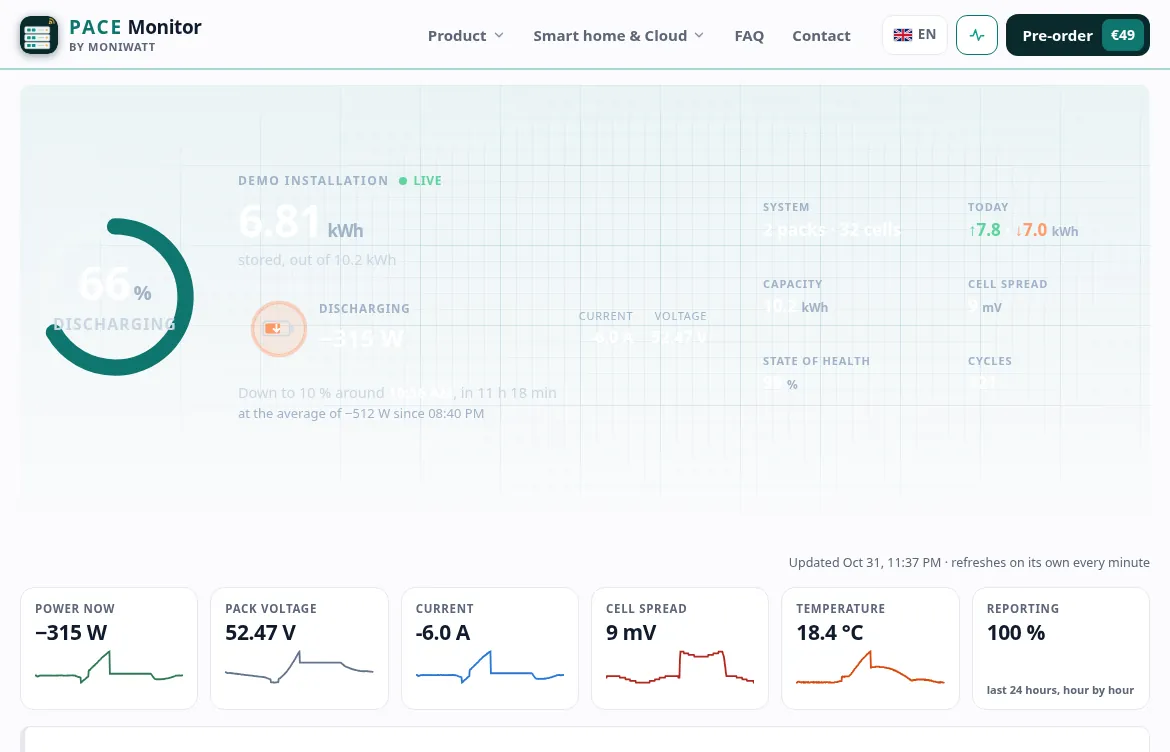
The chart follows power and state of charge hour by hour. Beside it, the cell spread tells you whether the balancing keeps up at the end of each charge, and the temperatures show how the rack lives through a hot afternoon or a cold night.
With the free Cloud, follow the rack from anywhere in the world, compare weeks and export CSV files.
Pick a situation: this is what Pace Monitor shows you about each cell of your Pace pack. Values simulated.
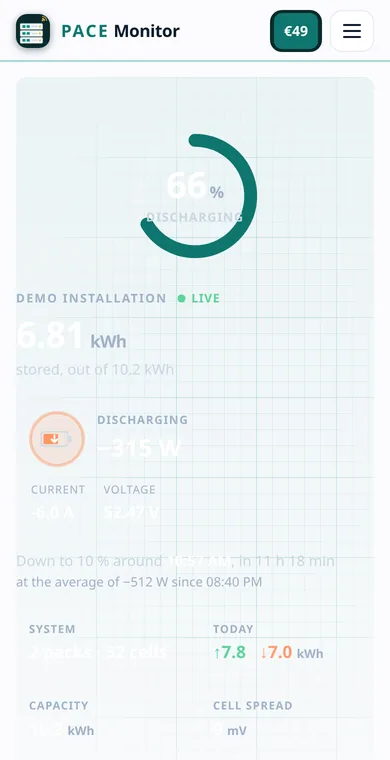
What you see is the production dashboard, running on a simulated Pace battery. Explore freely: no account, no download.
A rack battery usually lives in a garage or a technical room, far from where you spend your day. The free Cloud shows its cells, its state of health and its warnings from wherever you are, without carrying a laptop down there.
Every value and every cell, refreshed on their own, on your phone.
Charge, kWh in and out, temperatures, cell spread, day by day.
Six hours without news from your box and we tell you.
Home Assistant, Node-RED, a widget… no port forwarding, no VPN.
Everything stored, ready for your spreadsheet.
Your installer gets a view of the system without your password, and your access stays yours.
Optional: your box stays fully local if you prefer. Switch the Cloud on or off in its settings at any time.
How the free Cloud works →Cell voltages, state of health, temperatures and warnings become sensors, so your automations can react long before anyone would have opened PbmsTools.
When binary_sensor.pace_monitor_warning turns on, a notification gives you the text of the warning and the highest cell at that moment.
If the rack falls under 15%, the dryer and the oven are switched off on smart plugs before the board has to protect itself.
When the rack is above 95% and still charging, the water heater is switched on so the sun is not wasted.
When sensor.pace_monitor_temperature_1 passes 35 °C, a fan in the battery room is switched on and you get a note.
Type the address of Home Assistant in the box, a user and its password: that’s it. The Pace Monitor device and all its sensors appear on their own, ready for your dashboards and the Energy page.
SOC
78 %Last 24 hours
| Models | Pace BMS boards (P16S100A, P16S200A) in 48 V rack batteries |
|---|---|
| Connection | RS485 port, RJ45 cable included |
| Your existing wiring | Untouched: the box reads, it never writes |
| Network | Your home Wi-Fi (2.4 GHz); works without internet |
| Integrations | Home Assistant (MQTT auto-discovery), JSON API, Jeedom, Node-RED, Domoticz, openHAB |
| Cloud | Free and optional: live dashboard, 3 years of history, CSV |
| Power | USB-C, under 0.5 W |
A different Pace model? Mention it in your order and we prepare and test the box for it.

The box plugs into the RS485 socket of the rack, usually next to the CAN socket, and takes its power from any USB charger. The link sockets between packs and the inverter cable are not touched.
The design is that of Pylon-Monitor, which already watches Pylontech batteries, with an RS485 / CAN board and firmware written for the Pace protocol.
Prepared and tested in France, box by box, by the same team that builds Pylon-Monitor for Pylontech batteries.
Questions before buying? Write to [email protected]: a person answers.
Payment confirmed by e-mail, with your reference.
We set it up for your Pace battery and test it before it leaves.
The tracking link reaches you by e-mail that very day.
Plug the cable, power by USB-C, choose your Wi-Fi: the readings show up.
€49.00
Pre-order price until 9 November 2026 · €59 afterwards
Shipping calculated at checkout
Ships on 10 November 2026 · free cancellation until dispatch
What each option really gives you, in short.
| Bluetooth app | Wi-Fi dongle and maker’s cloud | Pace Monitor | |
|---|---|---|---|
| Readable from anywhere in the world | — | ✓ | ✓ |
| Keeps working without internet | ✓ | — | ✓ |
| Home Assistant sensors without ESP32 or YAML | — | — | ✓ |
| A screen next to the equipment | — | — | ✓ |
| Never changes a setting | — | — | ✓ |
Order Pace Monitor, shipped on 10 November 2026 and tested on a Pace BMS before it leaves.
Plug & play: working in about a minute